Want a clearer way to run work across disconnected systems?
👉 Download Enterprise Control Without Enterprise Overhead now
Published on 10/06/2026
By Peter Holroyde

TL;DR: AI can be useful inside operations, but it will not fix a workflow with unclear ownership, unreliable status, fragmented context, and poor integration. The bigger opportunity is to put AI inside a governed flow, where people, data, process, and automation all have a clear job.
Once you have found a source of operational friction (see our previous blog post on this), the next question is often: can AI take this away?
Sometimes it can help. The CRM might summarise a note. The inbox might draft a reply. A document tool might extract a few useful fields.
All of that can be genuinely useful. But it does not automatically fix the flow around the task.
AI alone will not fix a broken workflow because it does not own the state of the work, assign accountability, connect your systems, enforce approvals, or provide the audit trail. If those foundations are missing, AI is improving one screen in a wider process that still needs designing.
Tool-level AI usually improves the experience inside one product. That matters. If an AI assistant can summarise a long email thread, classify a request, or help draft a response, it can save time and reduce effort.
The limitation is that most operational work does not live neatly inside one product.
Take a simple customer onboarding process. Sales context might sit in the CRM. Contract documents might live in SharePoint or Google Drive. Payment terms might sit in finance. Delivery tasks might sit in a project board. The current status might be known by one person, but not visible anywhere useful.
Add AI to one of those places and you may make that place easier to use.
But the broader workflow is still crossing system boundaries.
That means the awkward questions still remain:
Those are not just admin details. They are the things that make operations reliable. AI can help with parts of the work, but it should not be asked to make up for a missing operating model.
Here is the simpler way to think about it:
| Summarising long threads or documents | Who owns the next step |
| Extracting fields from messy inputs | Where the live workflow state lives |
| Classifying requests or suggesting routes | Whether systems are properly connected |
| Drafting responses for review | Permissions, approvals, and audit trail |
| Highlighting useful context | Human accountability for the outcome |
A governed workflow gives the work itself a proper home.
That does not mean replacing every specialist system. In many cases, the better route is to keep the tools that already do their jobs well, then create one governed operations core around the flow.
CRM can stay responsible for customer and sales context. Finance can stay responsible for invoices, payments, and account status. Document storage can stay responsible for files. The operations core becomes the place where the live work is managed.
In plain English, that means one place tracks:
That is where AI starts to become more useful.
Instead of acting from a disconnected screen, AI can assist inside a visible flow. It can read the incoming request, extract key information, summarise the issue, suggest a route, or draft a response. But it does that with process context around it.
It knows what the work item is, what stage it is at, which information is connected, and when a human needs to review, approve, or take accountability.
That is the difference between “we added AI to a tool” and “we improved how the operation works”.
When a workflow is spread across disconnected tools, the expensive part is often the handoff. Not the dramatic failure. Not the big system outage. Just the ordinary friction that happens all day.
A request gets forwarded instead of assigned. A document gets saved somewhere, but not linked to the active record. A customer detail changes in one system, but not another. A manager asks for a progress update, so someone manually checks the inbox, CRM, spreadsheet, and task board before replying.
Together, those moments create repeated data entry, duplicated checking, missed context, status chasing, inconsistent decisions, weak auditability, and too much reliance on memory and goodwill.
This is why AI experiments can feel underwhelming. The demo looks clever, but the day-to-day work still depends on manual coordination between tools. That is progress, but it is not transformation.
One of the easiest ways to avoid AI confusion is to separate the jobs properly.
The four jobs in a stronger workflow
People own judgement, empathy, exceptions, relationships, and accountability. They should not be reduced to carrying context from screen to screen.
Data provides the trusted context needed to make the next step possible. It should be connected where the work happens, not hunted down manually every time.
Process handles repeatable routing, approvals, deadlines, permissions, reminders, and audit trail. It makes the flow visible and dependable.
AI helps where interpretation is useful: messy text, document extraction, classification, summarisation, drafting, and decision support.
When those jobs are blurred, people end up doing data transfer, AI gets asked to make decisions without enough context, and process lives informally in inboxes.
When the jobs are clear, the workflow becomes calmer. People focus on the moments where human judgement matters. Data moves through integration. Process provides the structure. AI supports the parts where interpretation, language, or pattern recognition genuinely add value.
That blend is the important bit. Not AI everywhere. Not automation for everything. Not a giant replacement project. Just a practical operating model where each part does the work it is best suited to.
If you are looking at a workflow and wondering whether AI should be part of it, start with a few grounded questions.
Workflow readiness checklist
- Can you clearly say who owns each stage?
- Is there one reliable place to see live status?
- Are the key systems connected, or are people copying context between them?
- Do permissions and approvals match how the work should actually be controlled?
- Is there an audit trail for important decisions?
- Do you know which parts are repeatable process and which parts need human judgement?
- Is the AI task specific enough to measure, review, and improve?
If the answer is mostly “no”, that does not mean AI is off the table. It means the workflow probably needs design before it needs more tooling.
AI-assisted triage, document extraction, and drafting can all be valuable. But if nobody has defined routing rules, ownership, approval points, connected systems, or where the output is recorded, the risk has simply moved somewhere else.
Imagine a supplier onboarding workflow. In the old version, the request arrives by email. Someone checks supplier details, saves documents in a folder, updates a spreadsheet, asks finance for payment checks, asks compliance for review, and sends follow-up emails when something is missing.
AI could help summarise the email or extract details from attachments. Useful, but limited.
In the governed version, the request becomes a live onboarding record. The workflow captures supplier details, links documents, assigns ownership, tracks status, and records decisions. AI can extract document fields, summarise risk notes, flag missing information, and draft a supplier update for human approval.
The difference is not that the second version has AI. The difference is that it has context, ownership, process, integration, and control. AI is useful because it is working inside that structure.
If your current AI conversation feels a bit vague, bring it back to one workflow.
Pick something that crosses teams, systems, or approval steps. Map the current path in plain English. Mark where people are copying data, chasing status, making decisions from incomplete context, or holding the flow together from memory.
Then ask what the workflow really needs:
That is a much better conversation than “which AI feature should we buy?”
It leads to a more practical answer: one governed operations core for your people, data, processes, and practical AI.
That gives you a way to keep the specialist systems that still make sense, reduce the manual joining-up between them, and introduce AI where it can be measured and trusted.
AI alone will not fix a broken workflow.
But AI inside a well-designed, governed workflow can absolutely help teams move faster, reduce admin, improve visibility, and keep humans focused on the decisions that matter.
To make this easier to picture, we have put together Enterprise Control Without Enterprise Overhead. It is a short, plain-English guide to bringing your people, data, workflows, controls, and practical AI into one governed operating model.
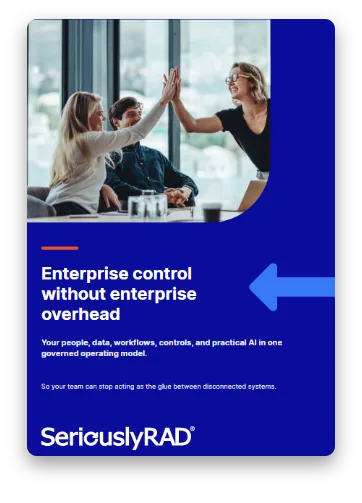
👉 Download Enterprise Control Without Enterprise Overhead now

Pete brings robust security expertise backed by his credentials as an Offensive Security Certified Professional (OSCP). With his strategic vision, Pete ensures our software architectures are secure and scalable, underpinning our clients' trust in our solutions.